

+91 8861468078
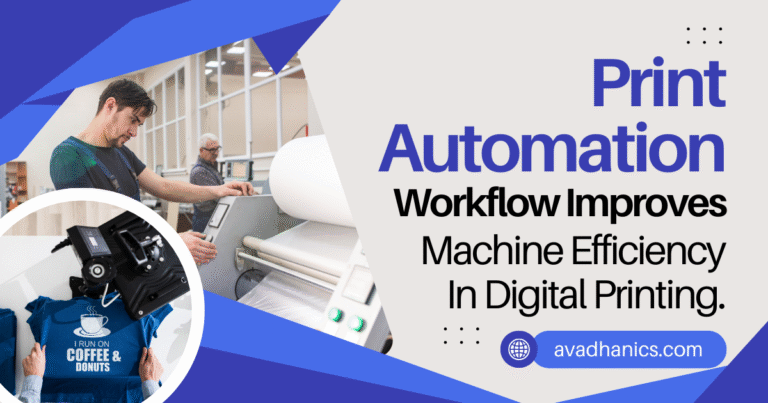
In today’s competitive commercial digital printing market, investing in high-speed machines alone is not enough. Many print service providers still struggle with low productivity, frequent reprints, and machine downtime, despite having advanced digital presses. The main challenge is inefficient and manual workflows that slow down production and reduce machine efficiency.
Implementing a print automation workflow transforms these processes into a streamlined system that increases output, reduces errors, and maximizes resource utilization. For businesses seeking to optimize operations and scale effectively, exploring solutions from avadhanics.com can provide expert guidance and practical tools for smarter print management.
Why Print Production Machines Underperform
Even the fastest digital presses can underperform when workflow issues exist. Common reasons include:
- Manual job intake via email or messaging apps
- Incorrect or incomplete artwork files
- Repeated communication with graphic designers
- Manual prepress checks
- Poor job prioritization
- Heavy reliance on experienced operators
Machine efficiency is ultimately determined by the workflow supporting it. Automated solutions reduce delays, errors, and idle time, allowing printers to achieve their full potential.
What Is a Print Automation Workflow?
A print automation workflow is a software-driven system that manages and automates every stage of the print production lifecycle, including:
- Online job submission
- Automated file validation (preflight)
- Prepress automation
- Customer approval workflows
- Production scheduling
- Print execution
- Dispatch and status tracking
Automation ensures only print-ready jobs reach the production floor, reducing mistakes and improving turnaround times.
Benefits of Print Automation for Machine Efficiency
Reduces Machine Idle Time
Traditional print shops often face machine downtime due to file corrections, pending approvals, or operator instructions. With automation:
- Jobs enter a digital queue instantly
- Files are automatically validated
- Only approved jobs proceed to production
This ensures continuous production and maximizes machine uptime.
Minimizes Errors and Reprints
Manual prepress checks are prone to mistakes, which increase waste and delay delivery. Automation automatically verifies:
- File dimensions
- Bleed and trim margins
- Color mode (CMYK or RGB)
- Image resolution (DPI)
- Font embedding
Invalid files are rejected before production, reducing paper waste and improving output quality.
Smart Job Allocation
Automation systems assign jobs based on print volume, media type, finishing requirements, and machine capability. For example:
- Short-run jobs → Digital press
- High-volume jobs → High-speed inkjet or offset
This ensures each machine operates at optimal efficiency, increasing overall productivity.
Reduces Operator Dependency
Manual workflows rely heavily on operators for approvals and job management. Automated workflows:
- Use rules-based job movement
- Handle approvals systemically
- Allow operators to focus on machine operation
The result is consistent output regardless of staff availability.
How Print Automation Helps Scale with Graphic Design Customers
Print-Ready Job Uploads
Graphic designers and agencies prefer printers who deliver fast turnaround, predictable output, and minimal back-and-forth. A print-ready job upload portal allows designers to submit jobs anytime, track progress, and receive automated feedback.
Faster Turnaround and Higher Satisfaction
- Designers upload jobs 24×7
- Instant validation flags errors before production
- Status tracking ensures transparency
This improves customer satisfaction and builds long-term relationships.
Business Scaling Without Extra Staff
Automated workflows handle orders after hours and on weekends, allowing higher volume without additional staff or equipment investment. Businesses can scale efficiently, increase profitability, and optimize existing resources.
Technologies That Enable Print Automation
Modern print automation systems use:
- Web-to-Print platforms
- Automated preflight engines
- Print MIS and job management software
- Production scheduling systems
- REST APIs and cloud storage
- Role-based dashboards
These technologies integrate seamlessly with commercial digital printing machines, creating a fully automated and efficient production ecosystem.
Conclusion
Print automation transforms commercial digital printing by turning manual, error-prone processes into streamlined, efficient workflows. By implementing print-ready job uploads, automated prepress, and smart scheduling, printers can reduce waste, increase machine utilization, and improve turnaround times.
For printers looking to adopt advanced workflow automation, avadhanics.com offers expert solutions, practical guidance, and tools to maximize efficiency. Leveraging these systems allows commercial print businesses to scale operations, improve profitability, and gain a competitive edge in the evolving digital printing market.